Pesto
A todo list with built-in distraction management and pomodoro timing.
The problem
Developers often underestimate how badly a few interruptions can affect their productivity. I noticed this with my team at work and with myself at home. It takes time to get back into the zone, but it's hard to manage interruptions if you are not aware of when they tend to occur and why.
At work in 2004 we started recording the sources of these interruptions. Each time we got a tap on the shoulder, called to a meeting, or a phone call, we logged it. If you know what's knocking you out of the zone, you have a shot at doing something about it.
Later I came across the Pomodoro Technique. It considers the smallest unit of work as 25 minutes (one pomodoro). If you finish a pomodoro, then you got something done. If not, you didn't. It's binary.
The idea
I started using a simple pomodoro timer, but I saw an opportunity to merge together the ideas of pomodoro timing, todo lists, and distraction tracking. I decided to build a todo list app where todos would have a pomodoro timer. The app would count the ratio of completed pomodoros to total pomodoros. More importantly, every time the user was interrupted, it prompted for the reason.
Tech stack
I built the app with Ruby on Rails.
How it worked
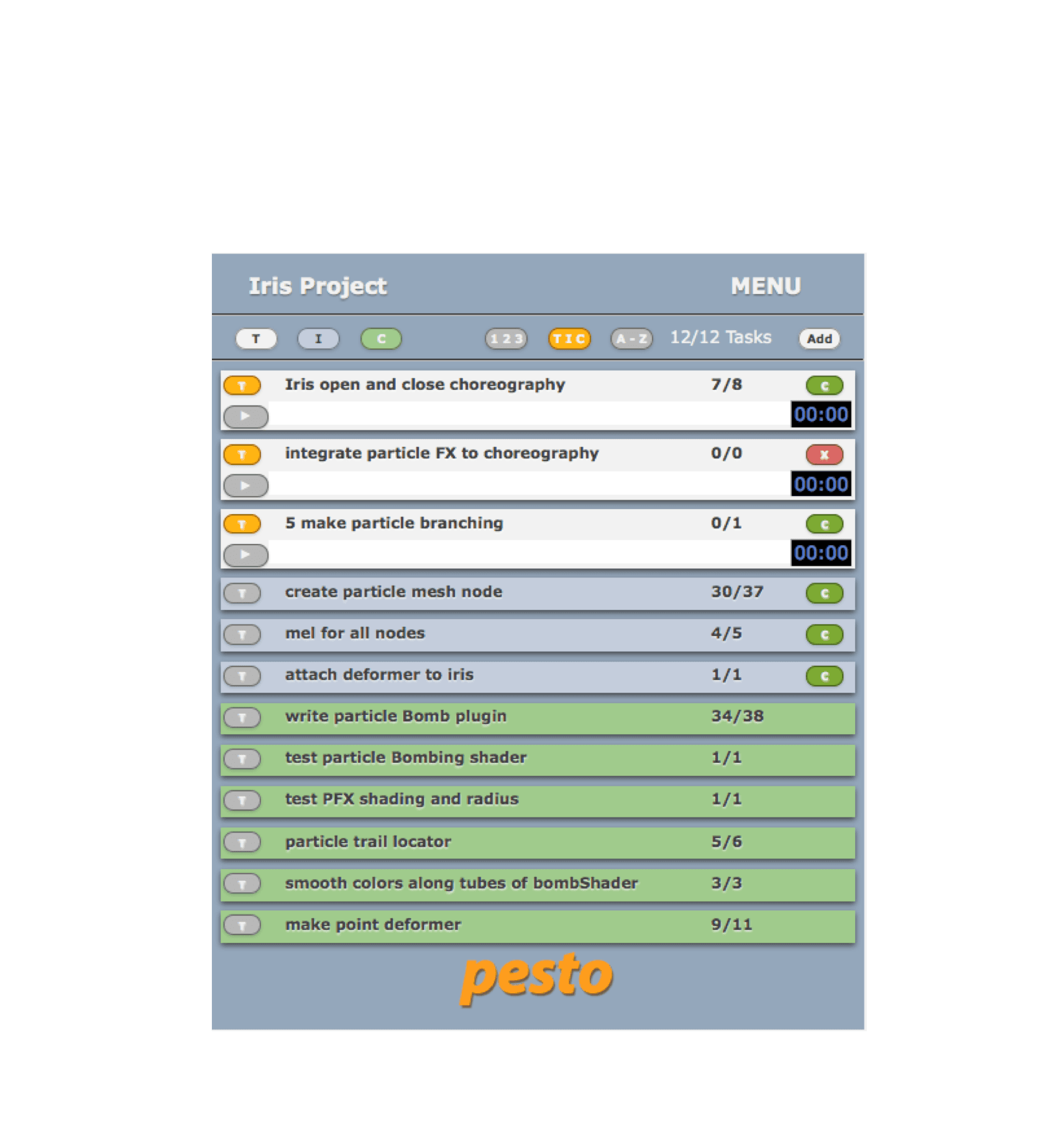
The image below shows the main interface. Hover your mouse to see explanatory help bubbles.
The app was never commercialized, but I used and improved it while working on VFX projects.
How it worked
- The main page showed one list. Users could have as many lists as they liked. Within each list they created tasks.
- Tasks were color-coded white or blue based on whether they were to be done today or put on the inventory. Only today's tasks had a pomodoro timer.
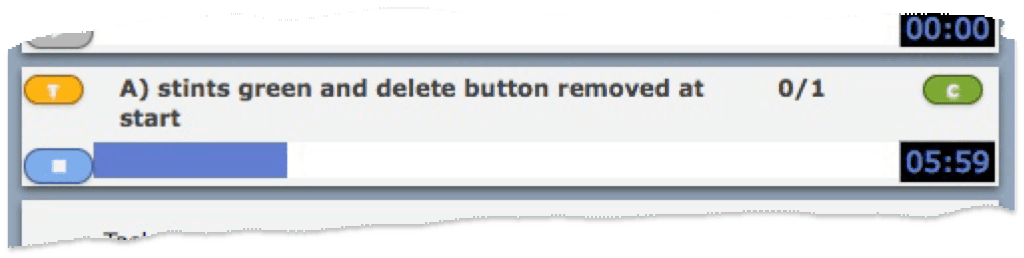
- To start work on a task, users clicked the timer start button. It would turn blue and the progress bar would start to fill up. The default work period was 25 minutes. Users would work until the timer reached the end.
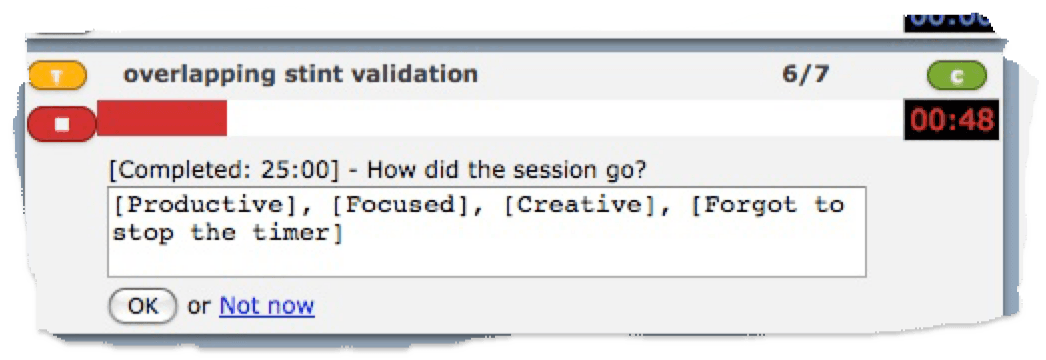
- When the work period was over, a sound would play and the timer UI components would change color to red. This meant it was time to take a rest. A form would appear in which users could record a note about the session.
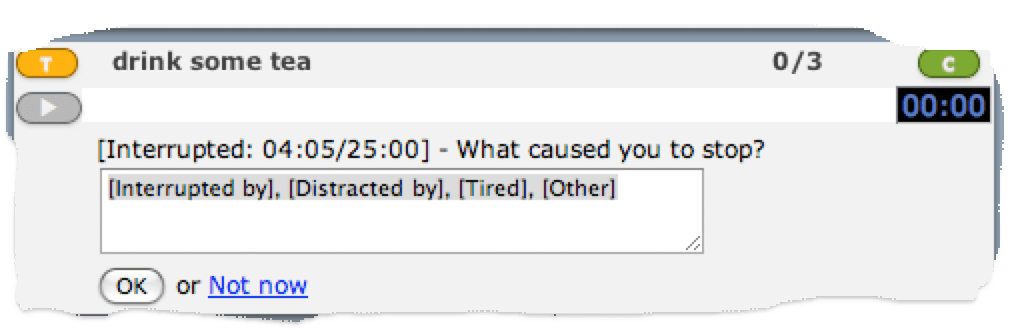
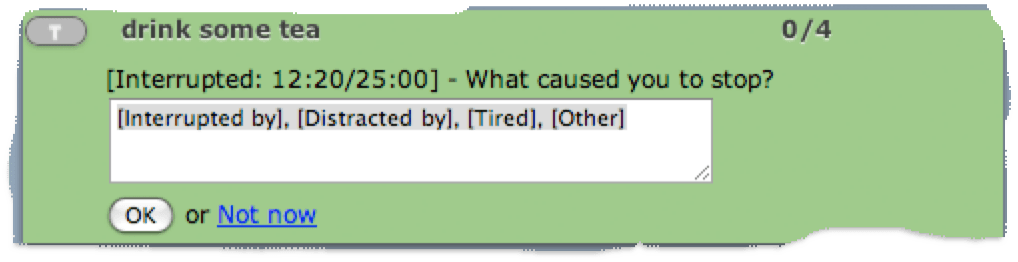
- If for any reason users were forced to stop work prematurely, for example if they were interrupted by a colleague, they could click the button to stop the timer. The form would display the elapsed time and ask why they stopped. Users could write the cause of the interruption. If it was a person, they were encouraged to write the person's name as this would be useful when analyzing patterns later.
- If users completed the task before the session was over, then according to the Pomodoro book they should have kept the timer going and used up the remaining time to tweak, tidy up or just take an extra rest. The app advised not to stop the timer. Users could, however, click the complete button and the task would go green. When the work period was over, they could enter session notes, and when the rest period was over, the task would collapse to the completed state.
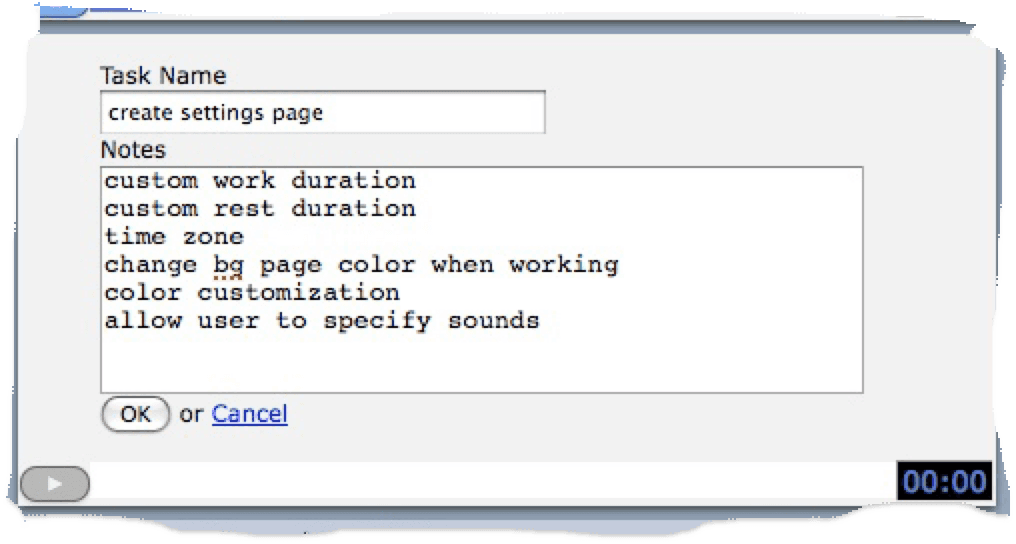
- Users could add notes to any task at any time. Sometimes it was useful to leave the notes form open while working. The timer would stay visible and active.